Stream keys
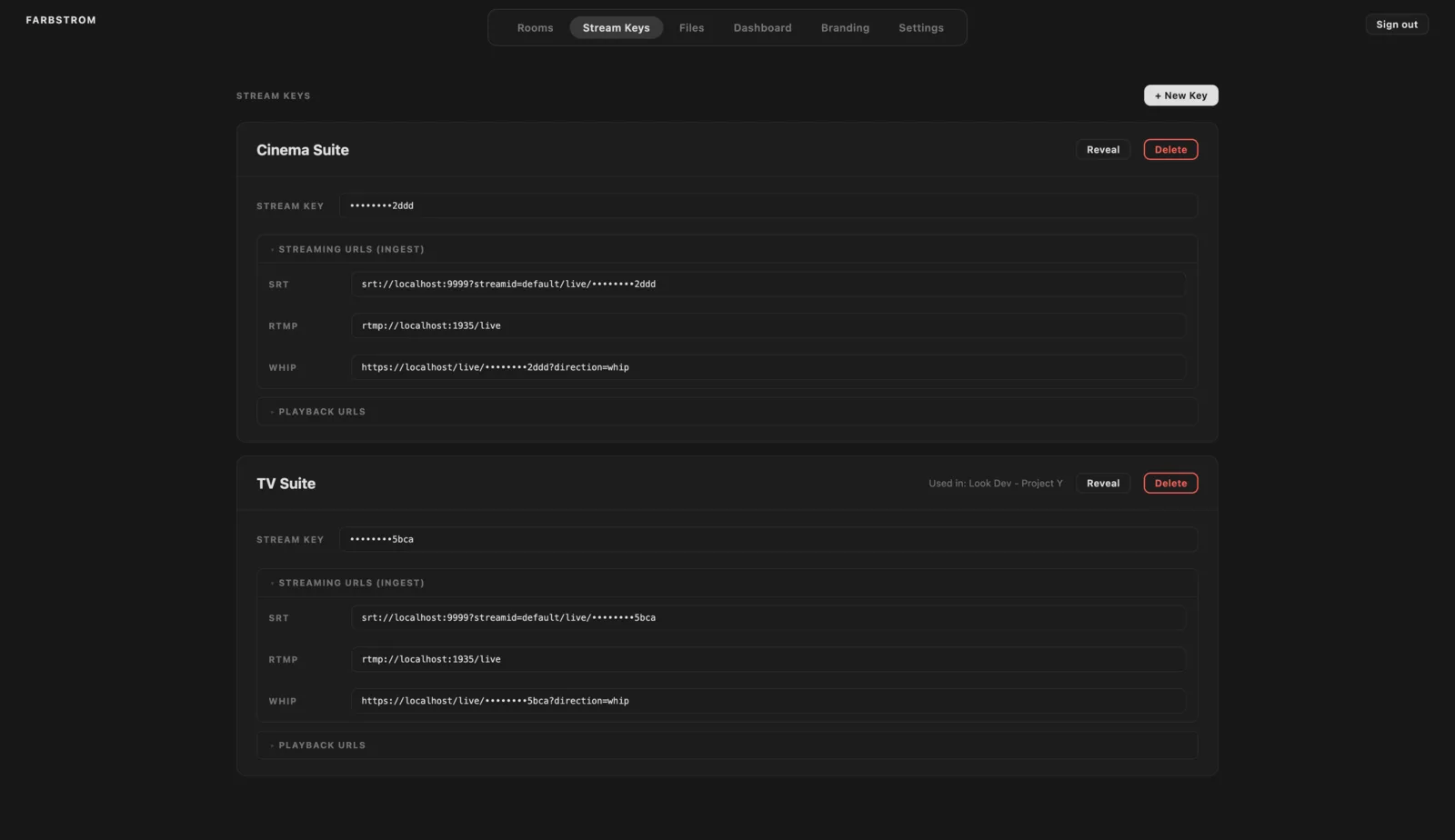
A streamkey is what an encoder uses to send a broadcast to Farbstrom. The Stream Keys tab is also where you find the ingest URLs to paste into your encoder.
Create a streamkey
Click + New Key and name it after the source it will be used on, for example Main Suite or Laptop. A streamkey can be used in as many rooms as you assign it to.
Hidden by default
Streamkeys and passphrases are masked on screen (••••••••2ddd), so you can have the tab open while sharing your screen. Click Reveal on a card to show them in full and Hide to mask them again. When you copy a value you always get the full value, even if it is masked.
Copy the ingest URL
Under Streaming URLs (ingest), each card lists the full URL for every protocol. Click a URL to copy it and paste it into your encoder without editing it.
- SRT (recommended):
srt://<host>:9999?streamid=default/live/<key> - RTMP: the server is
rtmp://<host>:1935/liveand the stream key is the streamkey - WHIP:
https://<host>/live/<key>?direction=whip
If SRT encryption is turned on for ingest, the SRT URL already includes the passphrase.
There is more information about the protocols in Encoders, and the OBS setup is described in OBS Studio.
Playback URLs
If you expand Playback URLs you can watch the stream of a streamkey outside a room, for example in a test player or when troubleshooting. The WebRTC and LLHLS URLs can be copied directly. For SRT, click Generate to create a signed link. The link has to be opened within 5 minutes, but a player that is already connected keeps playing after that.
Assign a streamkey to a room
You select the streamkey in the room settings, see Rooms. A room without a streamkey runs in call mode. Each card shows which rooms are currently using the streamkey under Used in.
After a kick
When you kick a stream from the Dashboard, its streamkey is blocked so the encoder can't reconnect automatically. The card then shows a Blocked badge. Once the problem with the source is sorted, click Allow ingest to let the streamkey stream again.