Branding
The Branding tab lets you replace the Farbstrom name, images and colors with your own. The changes apply to both the admin and the rooms.
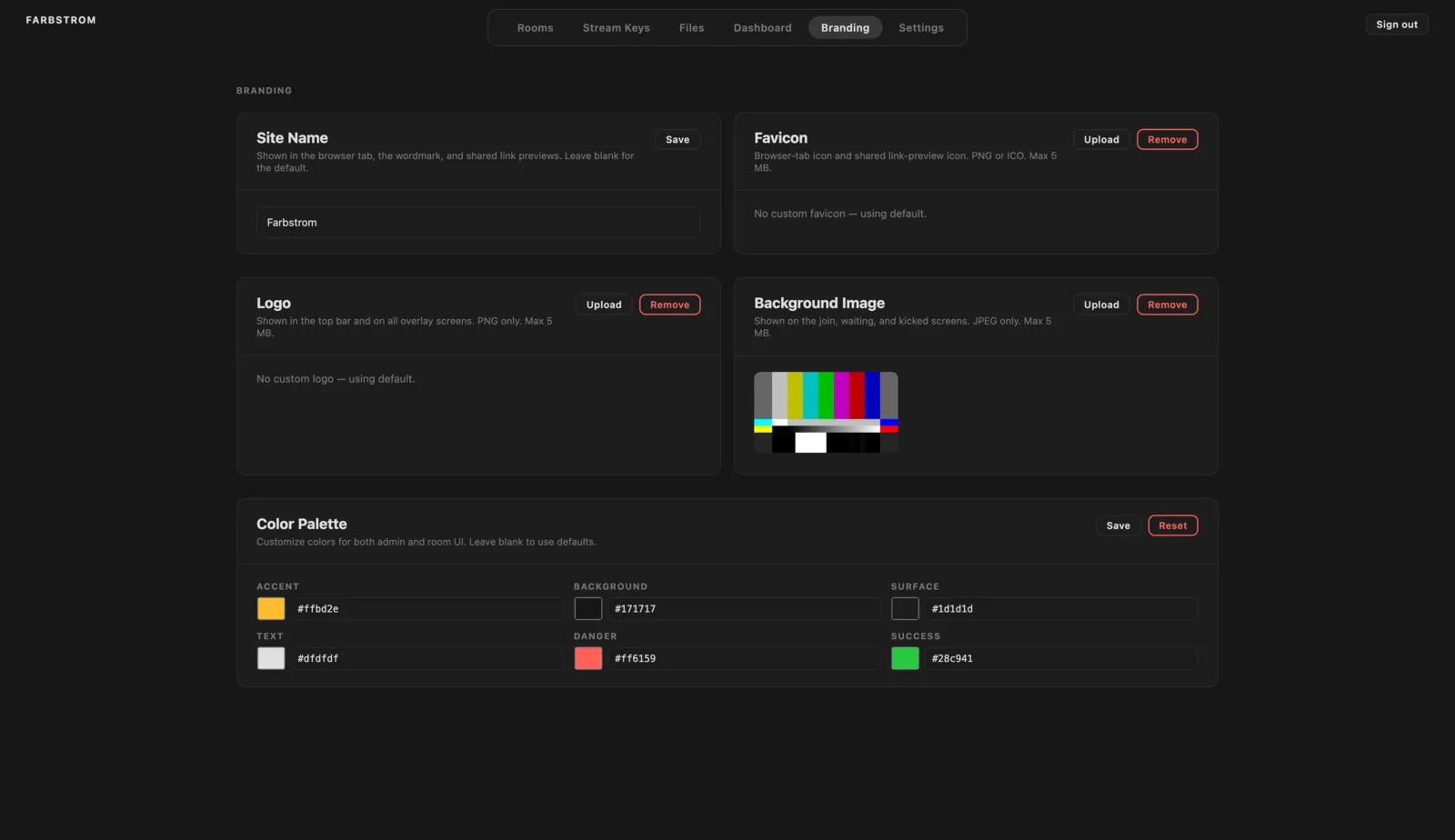
Identity
- Site name: shown in the browser tab, in the wordmark and in link previews when a room link is shared. It can be up to 64 characters, and if you leave it blank the default is used.
- Favicon: the icon in the browser tab, which is also used in link previews. It must be a PNG or ICO file of up to 5 MB.
- Logo: shown in the top bar and on the join and status screens. It must be a PNG file of up to 5 MB.
- Background: shown behind the join, waiting and removed screens. It must be a JPEG file of up to 5 MB.
Each of these has its own Save or Upload button, and Remove returns it to the default.
Colors
The whole color palette is built from six values:
| Token | Default |
|---|---|
| Accent | #ffbd2e |
| Background | #171717 |
| Surface | #1d1d1d |
| Text | #dfdfdf |
| Danger | #ff6159 |
| Success | #28c941 |
Click Save to apply your colors, or Reset to go back to the defaults.