Rooms
The Rooms tab is where you create review rooms, share them with participants and moderate them during a session.
Create a room
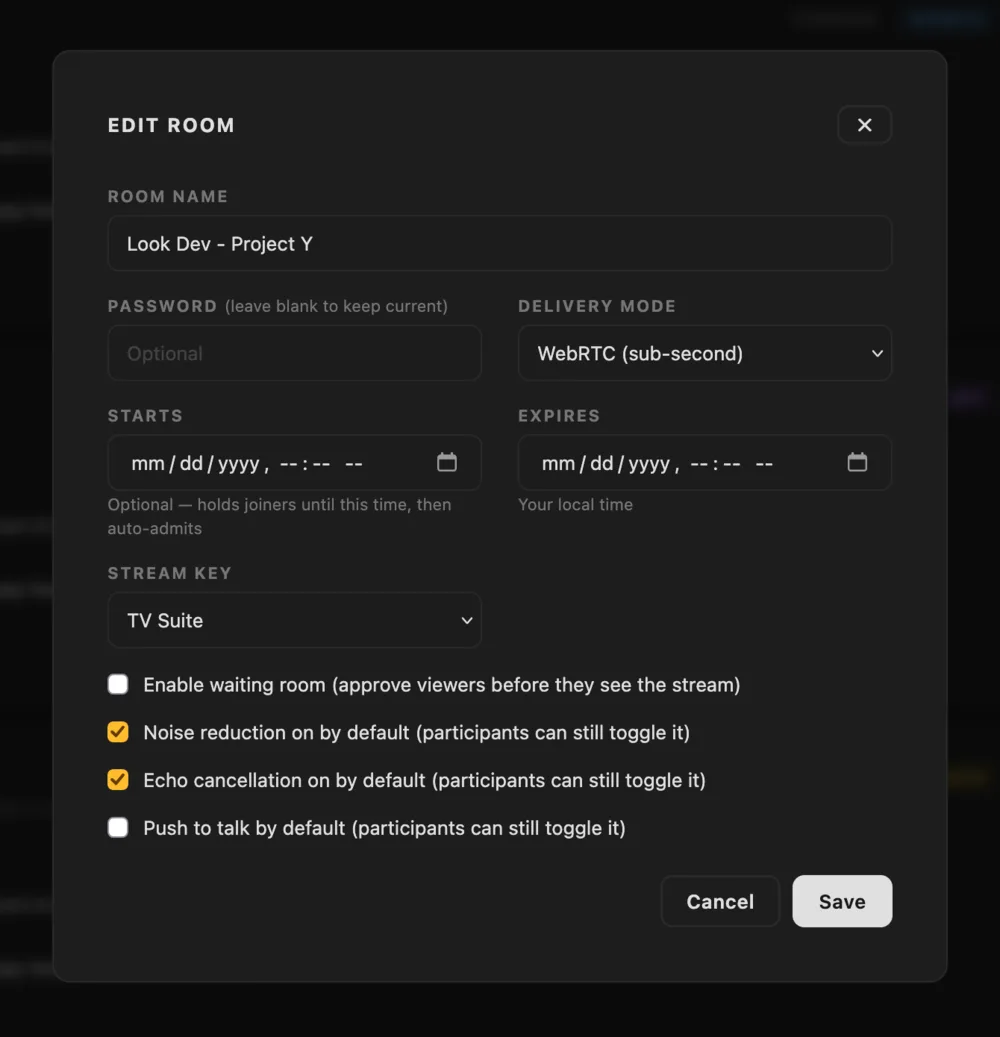
Click + New Room to open the room settings. The only required field is the room name, which everyone in the room will see, for example Client Review - Project X. The other settings are:
- Password: if set, participants need it to join.
- Delivery mode: how the stream reaches the browser, see Delivery modes.
- Starts: holds anyone who arrives early until this time and then lets them in automatically, see Scheduled start.
- Expires: the room ends by itself at this time.
- Stream key: the streamkey the broadcast comes in on. If you leave it set to None, the room runs in call mode.
- Waiting room: participants wait until you admit them.
- Audio defaults: noise reduction, echo cancellation and push to talk can be preset for everyone who joins. Each participant can still change them for themselves.
Times are entered in your local time. When you save, the room shows up as a card.
Scheduled start
If you set a start time, anyone who opens the link before it sees a countdown instead of the room. When the start time is reached they are let in automatically, so there is nobody to admit. If the room also has a waiting room, they move from the countdown into the waiting room and you admit them as usual.
Hosts are not held by the countdown, so you can enter the room early to get ready. If you want to let participants in earlier, edit the room and clear the start time or move it forward.
Call mode
If a room doesn't have a streamkey attached, it runs in call mode. It defaults to the grid layout and everything except the streaming window is present. When a streamkey is assigned the room automatically changes, even if participants are in the room. The call mode is handy if you wish to replace subscription based solutions like Zoom, Google Meet or Microsoft Teams.
Plan ahead
Rooms and streamkeys are independent of each other. A room doesn't need a streamkey to exist or to be shared, so you can create it, send the link and attach a streamkey whenever you like, either before the session or after it has started.
This means you can set up all the rooms for a busy week in advance and send the links to your clients straight away, and then attach the right streamkey shortly before each session. The room switches from call mode to the stream when a streamkey is attached, and back to call mode when it is removed. The link stays the same and participants don't have to do anything.
In a facility with several colorists or suites, you can give each machine or each colorist their own streamkey and attach whichever one applies to the room. A streamkey can move between rooms and any room can take any streamkey. You can also swap one streamkey for another during a session, and everyone in the room switches to the new stream automatically.
Delivery modes
The delivery mode is set per room and there is no automatic fallback between modes.
- WebRTC has sub-second latency and is the best default for SDR review.
- LLHLS has around 2 to 5 seconds of latency but works on more devices, and it is the only way to get HDR in the browser.
- Farbplay App only (SRT · H.265) is meant for the native Farbplay player. Farbplay is in development and not yet available, so until it ships a room in this mode only has the call in the browser.
The room card
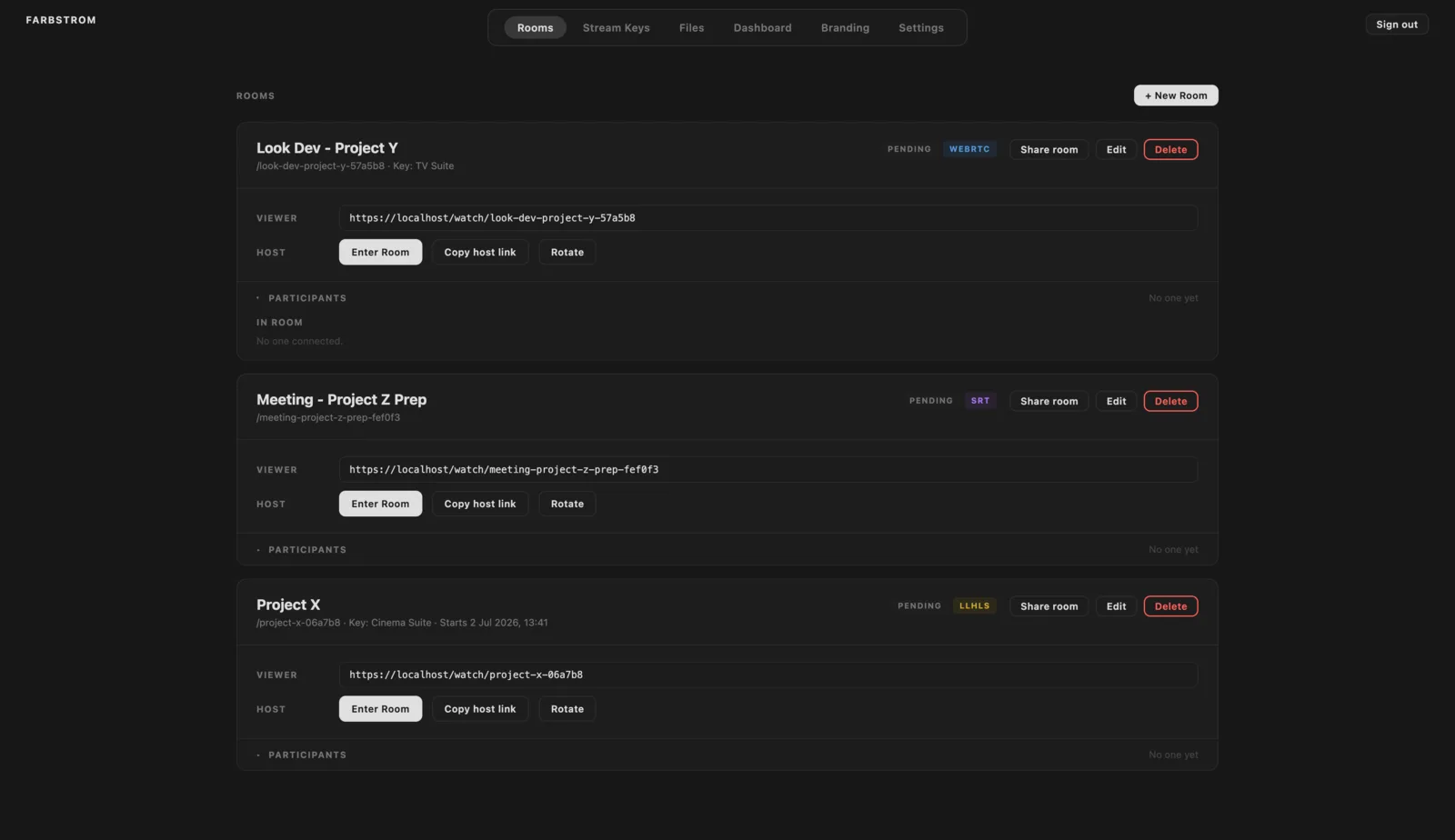
The top of each card shows the room name, its link path, the assigned streamkey and the start or expiry time if they are set. Next to it there are two badges. The first is the room status, which is scheduled while the room waits for its start time, pending when it is open but no stream is coming in, live while a stream is coming in, and ended. The second badge is the delivery mode.
Below that are the two links of the room. The Viewer link (https://<host>/watch/<slug>) is the one for participants, and clicking it copies it. The Host link opens the same room with presenter controls. Enter Room opens it for yourself and Copy host link copies it so you can send it to a co-host. Only share the host link with people you trust to moderate.
If the host link ends up somewhere it shouldn't, click Rotate. Farbstrom generates a new host link and the old one stops giving host controls, so you will need to send the new link to your co-hosts again.
Edit opens the same dialog so you can change any setting. If you leave Password blank the current password is kept, and ticking Remove password removes it. Delete removes the room, see Ending a room.
Share a room
Share room writes the invite for you. The invite has the room name, the viewer link and the start time if one is set, including its time zone for participants in other countries. It also asks the participants to dim their surroundings and to disable True Tone, Night Shift and automatic brightness on their displays, so they review the picture in the right conditions.
There are two ways to send it. If you enter one or more email addresses and click Open in mail app, Farbstrom opens the invite in your own mail app so you can review it before sending. If you click Copy invite, the same text is copied to your clipboard so you can paste it into a messaging app such as WhatsApp, Slack or Teams. In that case the email addresses are ignored.
If the room has a password, you can tick Include the room password and type it in. Farbstrom only stores a hashed version of the password, therefore it can't fill it in for you. You can also leave it out and send the password separately.
Only the viewer link is ever included in the invite. The host link can only be copied.
Enter a room as host
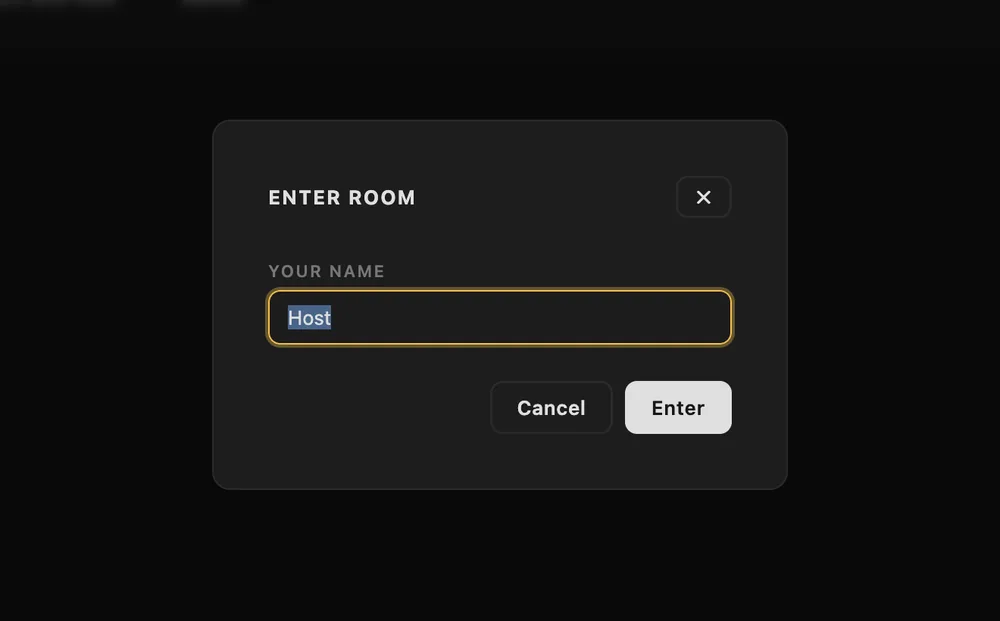
Click Enter Room on a room card and enter your name, which defaults to Host. You join the room with presenter controls, which include moderation, screen sharing and the shared pointer.
Moderating
Each room card has a Participants panel. Click it to expand it. It also opens by itself when someone is waiting, and its summary line shows the counts, for example 3 in · 1 waiting.
The panel is split into three groups. In room lists everyone who is connected, with hosts tagged. Waiting lists the people held by the waiting room, and you can admit them one at a time with Admit or all together with Admit All. Blocked lists the people you have removed, and Unblock lets them back in.
Inside the room you can also mute a participant, which is done on the server, or remove them. Someone who has been removed can't rejoin until you unblock them. See Conference & devices.
Ending a room
If a room has an expiry time, it ends by itself at that time and everyone in it sees a "session has ended" screen. An ended room stays in the Rooms tab with a Reactivate button, which opens it again on the same link and clears its start and expiry times.
Delete ends the session for everyone immediately and then removes the room permanently, including its link. Farbstrom asks you to confirm before it does this. Files you uploaded in the Files tab stay in the library and are only unassigned from the deleted room. However, files that participants sent in the chat of that room are deleted with it, unless you have also assigned them to another room.